
Skip to content
  • Home
  • Store
  • Contact Us
  • Account
  • Downloads
Login
0

Cart

Embrilliance Embroidery Software

Tag: Shapes

  • Home
  • Shapes
How to use Envelopes in Embrilliance

How to use Envelopes in Embrilliance

August 28, 2019September 4, 2024 Erich CampbellProjects

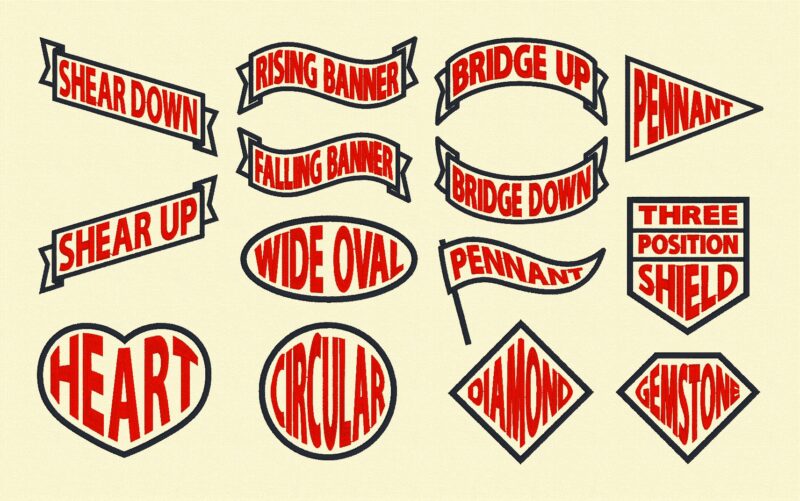
With the recent gold release of the 1.161 update, all Embrilliance Platform programs gained text-formatting superpowers! As part of this incredible update, users of all platform programs who update to version 1.161 now have the ability to use Envelopes. These…

Read More

Welcome to Platform Update 1.161

Welcome to Platform Update 1.161

April 18, 2019April 12, 2020 Lead ElfNews, StitchArtist

Hi, Folks! Brian here. It has been a long journey getting to this update. Mac Mojave came out, and out, and out again, as they addressed bugs there. Some of this left us chasing to keep up with a moving…

Read More

  • Products

    • Essentials
    • StitchArtist
      • Overview
      • Level 1
      • Level 2
      • Level 3
      • Upgrades
        • Level 1 to 2
        • Level 2 to 3
        • Level 1 to 3
    • Enthusiast
    • PatchArtist
    • Density Repair Kit
    • AlphaTricks
    • Fonts & Collections
      • ACE-1: The Rewind
      • The Essential Bundle
      • Font Collection 1
      • Font Collection 2
      • Fonts Compilation
      • PatchArtist
      • The Patch ACE Bundle
      • Renaissance Faire
      • Romance
      • Romantic Renaissance
      • Christmas Col. 1
      • Christmas Traditions Int.
      • AccuQuilt GO! Col.
    • Thumbnailer
    • Gift Cards
    • Express Mode (Free)
  • More Great Info!

    • Start Reading! Start Reading!
    • FAQ
    • Videos
    • News
    • Projects
  • Connect

    • Contact Us
    • Social
    • Newsletter Signup
    • Project Submission
    • .BX Font Designers
  • We collect no credit card data.
    All transactions use SSL for your protection.
    -- A Random Happy Thought --

    "I was doubtful whether or not Thumbnailer would give me any more capabilities than what Organizer in 5D provides. Well, the doubt is gone! For me, there is no comparison between the two applications. Thumbnailer works instantaneously by a drop down menu option which, once selected, remembers so that every time you return to the folder, it automatically displays the designs in thumbnail view without having to go to the drop menu again. I have tons of designs and a folder can contain 200+ designs. One click on the drop down menu option and "boom!", designs immediately appear as a thumbnail. I LOVE thumbnail." Posted on Embrilliance Forum
    Regarding Thumbnailer

    • About Us
    • Submit a Project
    • In the Industry?
    • Reseller login
    Copyright © 2025 BriTon Leap, Inc. All rights reserved. -- Proudly made in the USA for all our friends worldwide.
    BriTon Leap, Inc. embrilliance